

Holyfrey
Administrators
-
Joined
-
Last visited
-
Updated info: (Its also updated in first post) Privat Server: Server: Emberveil https://emberveil.org/ With Unreal Engine 5 Unreal grafic come next year, but you can play with legancy grafic now. https://unrealazeroth.ru/ Character: Holyfrey Server: Peaches https://playpeaches.com/ With client 3.3.5aHD Character's: Merlin Holyfrey
-
Holyfrey replied to Holyfrey's topic in HolyFrey's Black Sheep List - Internett Trolls (All Ban Lists)Discord Username: licked / idontknowlicking Discord ID: 1166837111580807179

-
All our servers will be updated to the newest version. Here is a Youtube video where you can hear and see some of whats comming in the new version. And our Community will host a Collectors edition and a standard version of the game. Youtube video on whats happend to the game: Youtube link
-
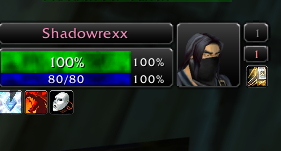
Scaming people fro enchant items and other items, trads and keep the item and sels it on AH. This person need to be raported if you see him be aware.
-
Holyfrey replied to Holyfrey's topic in HolyFrey's Black Sheep List - Internett Trolls (All Ban Lists)Scammer, ho scam players for enchants items and more and resell it and take the money for it. Manny players already got scamed, pleas raport him.

-
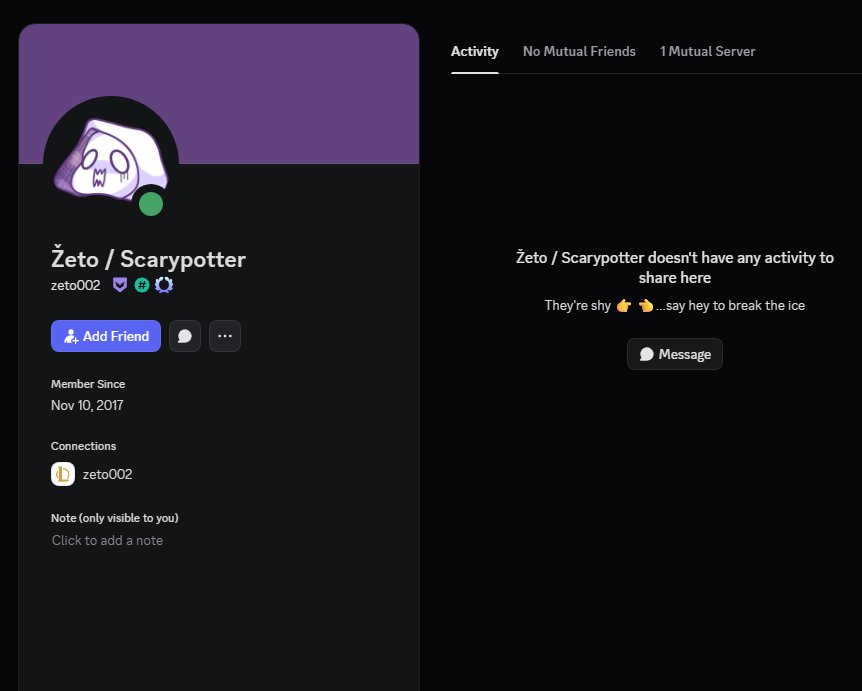
Holyfrey replied to Holyfrey's topic in HolyFrey's Black Sheep List - Internett Trolls (All Ban Lists)Discord Username: Žeto#2874 / Žeto / Scarypotter Discord ID: 378555433192783872
-
Holyfrey replied to Holyfrey's topic in HolyFrey's Black Sheep List - Internett Trolls (All Ban Lists)Discord Username: meta_qq - KAISER Discord ID: 195160573871259658

-
Holyfrey changed their profile photo
-
Ding Level 70 Nice :)


-
Holyfrey replied to Holyfrey's topic in HolyFrey's Black Sheep List - Internett Trolls (All Ban Lists)Discord Username: 99 / svai7922 Discord ID: 392799532183715840 This persion is a Norwegian.

-
Holyfrey replied to Holyfrey's topic in HolyFrey's Black Sheep List - Internett Trolls (All Ban Lists)Kukk - Shaman Alliance

-
-
Holyfrey replied to Holyfrey's topic in HolyFrey's Black Sheep List - Internett Trolls (All Ban Lists)The fill Guild named "CHATBANNED" is a Internett Troll guild keep away from this guild.
-
No. 1 – The most dangerous case: The Discord server at https://discord.gg/thunderstrike falsely claims to be an official community. This claim is entirely fabricated and has no verified basis whatsoever. It is a deliberate attempt to mislead users and create a false sense of authority. In reality, this server appears to be run by internet trolls individuals whose behavior is driven by ego, control, and attention-seeking rather than any genuine interest in community building. These are not moderators acting in good faith; they behave like typical online agitators who thrive on conflict and intimidation. There are serious and well-founded concerns that those running the server actively gather information about players and community members. When people refuse to comply with their demands, disagree with them, or simply do not give them what they want, this information is reportedly used as a weapon for harassment, pressure, and targeted abuse. The server also maintains public blacklists of players and entire guilds without evidence, transparency, or accountability. No proof is presented, no fair process exists, and those targeted are given no opportunity to respond. This is not moderation it is character assassination carried out by people hiding behind Discord roles and inflated egos. This environment is toxic by design. It operates on manipulation, fear tactics, and smear campaigns rather than honesty or integrity. The behavior displayed is typical of internet trolls abusing a platform to feel powerful, not of adults running a legitimate or responsible community. A real Discord community is built on honesty, fairness, respect, and transparency. It does not spy on its members. It does not threaten people. It does not blacklist others without proof. And it certainly is not run by trolls who use harassment as a tool to control narratives. This server is unsafe from a social and community standpoint and should be avoided entirely. Stay away.


-
Holyfrey replied to Holyfrey's topic in HolyFrey's Black Sheep List - Internett Trolls (All Ban Lists)Discord Username: GLR / glrrr Discord ID: 1282300243655917681

-
Holyfrey replied to Holyfrey's topic in HolyFrey's Black Sheep List - Internett Trolls (All Ban Lists)Discord Username: ASSHOLE USER Discord ID: 1397974714839728158


